close
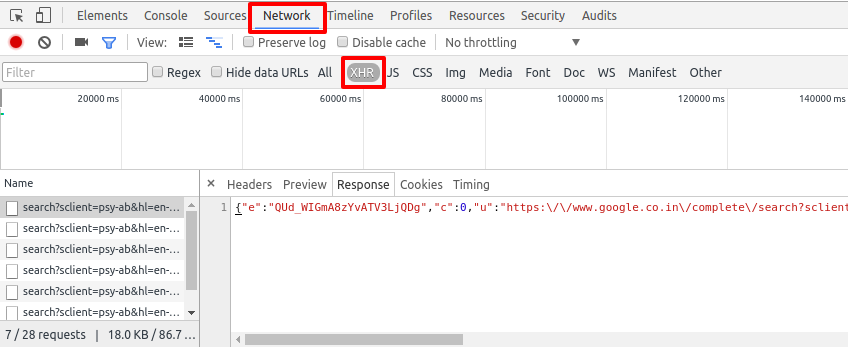
At the time of working with Ajax in the web application, request monitoring is very useful. Monitoring Ajax requests on browser makes easy to debug Ajax call. This short guide will help you to see ajax requests in Google Chrome. Follow the below steps to monitor ajax requests (Headers, Preview, Response, Cookies, Timing) in Developers tools of Google Chrome.
💰 Budget-friendly • 🌍 Global clients • 🚀 Production-ready solutions



Hey.
I would like to ask about the third step :
* Initialize an Ajax call.
how do I Initialize an Ajax call ?
Thank in advanced